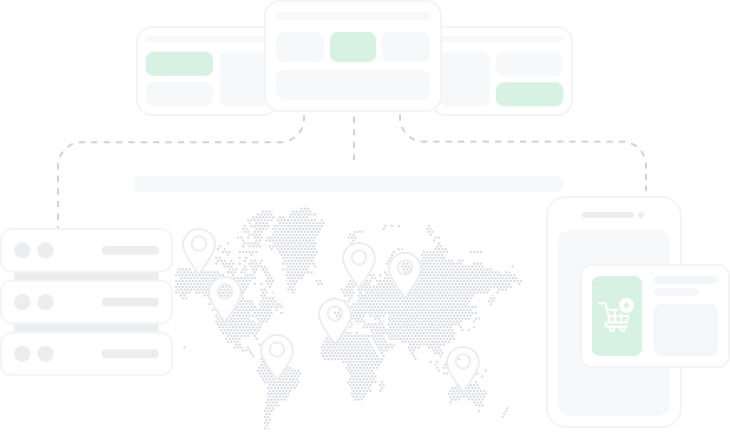
Overview of the Kameleo antidetect browser
Summary generated by AI:
Kameleo browser is an anti-detect solution for both personal computers and mobile devices operating on iOS and Android platforms. It provides comprehensive tools for managing accounts in e-commerce, traffic arbitrage, and web scraping. In addition, it automates most (or all) tasks performed manually via Puppeteer, Selenium, and Playwright, greatly improving efficiency and process flow in numerous domains.

Video: Anti-detect browser review — Kameleo
Features of the Kameleo browser
An essential highlight for its users is the unrestricted profile creation feature, which is available to all of them regardless of the selected tariff plan. Some other noteworthy features include:
- Profile export and import functionality;
- Setting proxy servers for every created environment;
- Support of Chrome, Edge, Firefox and Safari;
- Mobile application for Android and IOS;
- Tool for editing cookies.
There are several critical issues that you need to understand that will help you work with the tool more efficiently.
Fingerprint Management
Application provides you with elaborate customization options to their fingerprints which enhances the privacy of their online environments greatly. These are the fine details that you are able to customize:
- User Agent – which covers the browser and device type can be modified;
- System Language, Fonts, Screen Resolution;
- Timezone settings.
Apart from the fundamentals, it allows you to manage more advanced parameters that are crucial for safeguarding your privacy:
- Canvas. As with WebGL, when websites utilize Canvas for drawing graphics and animation, it can reveal your device capabilities, which contributes to your digital fingerprint;
- WebGL. This technology draws 3D and 2D interactive graphics in a browser. It can reveal your graphics card information, which is part of the digital fingerprint as well;
- WebRTC. Your real IP address might be revealed regardless of whether a proxy is used, thus breaching privacy;
- WebGL Meta. This provides extra information that might be used alongside other data to improve the accuracy of online tracking.

Teamwork Features
Usually, only one user could be active from a single account and thus a single login at a time. To enable teamwork, one needs to buy more slots. For a team of two, the subscription price doubles. Otherwise, you are free to negotiate with a Kameleo browser manager for unlimited access pricing.

With a subscription meant for team collaboration, all incorporated users are granted access to all the tool’s functions, as well as to environments and settings of all other ones. This allows them to complete their work using multiple devices in a single, central location. Notes as well as sorting functionalities improve team convenience and help in partitioning employee tasks efficiently.
Ability to Run Separate Environments on Mobile Devices
Kameleo mobile browser functionality available on iOS and Android is synchronized with the desktop version that has already been downloaded. Users design and set up a profile on PC and then launch it on mobile using QR code. These mobile environments are thoroughly set up with all functionalities Fingerprint and others ensuring anonymous network access form mobile devices. Tasks might be performed without needing to be tethered to a desktop computer.

Pricing
The Kameleo browser comes with three prominent tariff plans, which are differentiated by their benefits. Irrespective of any chosen plan, a suite of basic functionalities will be provided such as an unlimited number of environments, digital fingerprinting, and proxy server setup. Let us review the available tariffs closely and analyze their distinguishing characteristics in the next block.
Start
For those looking to bypass anti-bot systems on a small scale, the “Start” plan is the most affordable option, priced at €29 per month. It includes 2 parallel automated browsers and is ideal for ones beginning to automate scraping or working on light web testing scenarios.
Solo
For solo users, this plan is best suited at €59 a month as it unlocks all the basic functions. It allows unlimited virtual spaces which is advantageous for multi-accounting. Additional paid seats might be added to the subscription, but pricing will be customized on a case by case basis.
Pro
With this €99 plan you are able to Import and export cookies as well as launch and control environments from a user's mobile device. All functions within this plan stem from “Basic” one and are completed with extra features described previously. The “Advanced” plan has proven useful for collaborative efforts as well as more intricate tasks and projects owing to teamwork flexibility, limits, and the additional features it comes with.
Scale
Starting at €199, this is the go-to option for automating large projects and securely managing any number of virtual spaces. It includes detailed automation settings through the built-in API and supports integration with frameworks like Puppeteer, Playwright, and Selenium. Like the others, this plan allows for subscription expansion and price discussions with a manager.
All four tariff plans provide access to support services ensuring users might get answers to questions that might come up.
Kameleo Interface
Both the effectiveness of an interface and the tasks done on it are aligned with the simplicity and aesthetics of the layout. Now, we will dive deeper to provide one overview on the primary tabs in the app and how to make your UX seamless.
Dashboard
As for the main page of the browser, you are able to view all the previously created profiles, create new ones, edit the existing ones, or even sort them into folders for better organization and easier access. Moreover, import and export options for such environments enhance user convenience.

While creating a new environment, basic parameters such as device, operating system, and language can be set.

As for naming the profile, setting notes, fingerprints, extensions, proxy server, and detailed setup, they all fall under the creation menu which allows configuring flexibly.

Such environments, however, are not cloud based. For seamless access, they need to be stored locally. This poses an issue when switching devices because in order to retain configurations, the settings file has to be manually transferred.
Tools
Proxy server evaluation might be done within this singular tab where geo-location check, IP trust score check, and time zone information.

IP Check
This feature lets you enter the IP address of the intermediary server to assess its trust level and check its anonymity, determining whether the new IP is recognized as a proxy server on the network.

IP to Timezone
This tool helps in identifying the timezone of a specific server, which is useful when manually setting timezone in profile to ensure it corresponds with proxy IP address.

Location Selector
This tool allows you to validate or define the geographical position of the proxy. One can then apply the setup to other virtual spaces. It is suggested to activate the automatic geolocation detection option to avoid inconsistencies between the proxy’s location and the account settings.

Settings
There is a button at the very bottom which allows you to set up defaults that will be applied to all accounts at the time of creation. This is useful when you need to create several of them that follow a certain operating system specs. Here you are able to also set the parameters of a digital fingerprint and a homepage URL which should open upon launching a profile.

Step-by-step Guide for Creating a Profile in Kameleo Browser
- Establishing a new one can be done by selecting the “New Profile” option located on the vertical interface menu on the left.

- In the subsequent window, choose the device type and specify the operating system and kernel through which the environment shall run, and also specify the language.


- After setting the parameters, the Kameleo browser will suggest one of the pre-set templates. Click the ‘Select’ button to proceed with the creation process.

- You can still modify some parameters like Canvas, WebGL and timezone in the window that just opened. It is best to keep geolocation determination in automatic mode. Afterwards, click “More” to access advanced fingerprint settings.

- You might also add notes to your account and upload cookies. To do this, tap the three dots in the upper right corner. You will also be capable of exporting cookies from that one later on.

- Now select the homepage. Enter proxy details if needed. Using Kameleo, proxies with all popular connection protocols are applicable. Also disable WebRTC, doing so greatly increases overall anonymity. When data entry is completed, click “OK”.

- To begin working with the created account, click “Start” and it will be displayed on the main page.

- You might also upload cookies into the newly created profile if needed.

- It is crucial to understand that the environments in Kameleo are local and will not be saved in the cloud, thus the profile will vanish upon application restart. To backup it, click the three dots next to the “Start” button and select “Save As”.

The creation process is now done. In the Kameleo browser you can create an unlimited number of unique accounts and operate them in parallel.
How to Setup a Proxy in The Kameleo Browser
In areas that deal with a large number of user accounts, proxy settings in Kameleo are essential in avoiding being blocked or restricted. The browser's functions allow you to assign a proxy to each account and test its performance, trust value, and geolocation.
Conclusion
To sum up this review, we believe this solution is the best option for personal users who want to encrypt their internet traffic and circumvent geo-restrictions. It is also good for managing multiple accounts. Furthermore, the fact that several people are able to use one account and create unlimited profiles is advantageous for teamwork. It is also possible to choose from any team-based pricing model due to flexible pricing policies.
Do you have the competence?
Become a partner author on mutually beneficial terms

Content of the article:
Do you have the competence?
Become a partner author on mutually beneficial terms