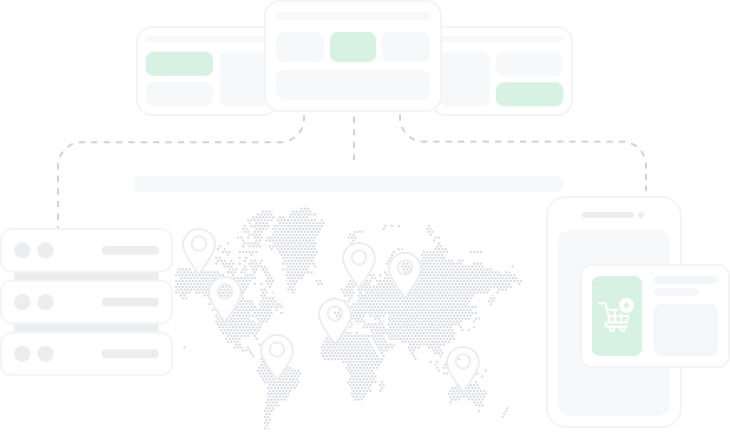
Overview of the MASQ anti-detect browser
Summary generated by AI:
MASQ is an anti-detect browser specifically crafted to mask digital fingerprints and obscure user activity online. It facilitates the management of multiple accounts, bypasses geoblocks, and supports bot usage, all while minimizing the risk of detection and blocking by anti-fraud systems. The browser ensures a high level of anonymity and secure internet connections. It also supports the use of proxy servers and can emulate mobile devices. This article offers a comprehensive overview of MASQ’s functions, features, and pricing plans, along with detailed step-by-step instructions for creating profiles and configuring proxies.

Video: Anti-detect browser review — MasQ
Features of the MASQ browser
Antidetect Browser, functioning as a desktop application for Windows and MacOS, is built on the Mozilla Firefox core. Among its competitors, MASQ stands out due to its extensive collection of fingerprints sourced from real user devices, its simplicity, and its ease of use when managing a large database of profiles and automating routine tasks. This makes MASQ an invaluable tool for several key activities:
- Traffic arbitrage: the application supports the management of an unlimited number of accounts while providing robust protection and anonymity for operations on platforms with strict moderation and anti-fraud measures, such as Facebook, Amazon, Google Ads, YouTube, and TikTok.
- Affiliate marketing: MASQ's high anonymity, proxy server compatibility, mass account management capabilities, flexible fingerprint settings, automation features, and a free tariff plan make it an excellent choice for affiliate marketing efforts.
- Advertising and software testing: the Antidetect Browser is adept at bypassing geographical restrictions and emulating the digital fingerprints of various devices, including computers, smartphones, tablets, gaming consoles, and Smart TVs. This versatility is crucial for testing how advertisements and applications perform across different platforms and devices.
- E-commerce: MASQ comes with pre-installed scripts that automate routine processes in popular online stores, significantly simplifying tasks like bulk account creation, content publication, data screening, and order management. Users can also create their own scripts using an intuitive interface if the pre-installed ones do not meet their needs.
- Bonus hunting: the application efficiently handles multiple accounts on bookmakers, casinos, or cryptocurrency exchanges from a single device, streamlining the process of locating and utilizing bonuses, promotions, discounts, special offers, bounty campaigns, and airdrops.
- Anonymity: MASQ's anti-detection capabilities ensure a secure internet connection that effectively shields the user's digital identity from being tracked by anti-fraud systems like Fraudscore, MinFraud, SiftScience, ThreatMetrix, Kount, FraudLabs Pro, and others.
Beyond these specific uses, MASQ is adaptable for various other domains and scenarios where managing multiple accounts and avoiding blocks are crucial, such as web scraping, account farming, cookie collection, sneaker botting, SEO, and SMM.
Convenient profile management
MASQ offers a streamlined, step-by-step process for creating profiles, guiding the user through each stage with a limited selection of compatible options. This structured approach begins with the user specifying the platform, browser, and operating system. This initial choice ensures that all subsequent options are appropriate and compatible. Next, users configure hardware parameters like the processor and video card, selecting settings that match typical real device configurations. The final steps involve adding proxies and cookies and enabling features such as WebGL, Audio, and Canvas to enhance functionality and authenticity.
MASQ intelligently limits the choice of options based on previous selections to prevent incompatible combinations, like selecting a PC platform with an Android operating system, which are common triggers for anti-fraud systems.
Additional features of MASQ:
- Platform variety: MASQ supports a broader range of platforms including not only PCs and mobile devices but also tablets, game consoles, and smart TVs. This allows users to comprehensively test applications and advertisements across different device types.
- Extensive customization options: unlike many browsers that limit OS options to Windows, macOS, or Linux, MASQ provides a more extensive range including Chromium OS, SUSE, Ubuntu, and others, allowing for deeper customization of browser profiles.
- Database of fingerprints: MASQ utilizes over 5 million real user fingerprints, which helps in reducing the likelihood of detection by sophisticated anti-fraud systems.
- MASQSHIELD system: this proprietary system enhances the anti-detection capabilities of the browser, adding unique modifications to the device fingerprints to prevent detection and blocking.
These features make MASQ particularly suitable for a wide range of users, from beginners to professionals engaged in activities like traffic arbitrage, affiliate marketing, and SMM, who require advanced tools and detailed system settings.
Ready-made scenarios
Another notable feature of MASQ is its macros (scripts), which are sequences of commands designed to automate routine tasks within a browser or application. These tasks might include actions like logging in, collecting data, filling out forms, posting comments, clicking, or navigating through web pages. Creating macros does not require programming skills; users can simply set a specific sequence of actions on a website or utilize the “Drag & Drop” interface to configure them.
Once created, these macros can be applied to multiple profiles, tailored for various tasks, and shared with other MASQ users. Macros can also be accompanied by brief comments that describe their purpose, the logins and passwords they use, the individuals responsible for them, and other relevant details. This functionality not only accelerates the process of working with profiles but also enhances the coordination of team activities, making it a powerful tool for improving efficiency and workflow.
Session tracking
The MASQ application includes a feature that enables tracking of the device used for account connections. This functionality allows users to oversee not only their own connections but also the activities of team members. The system provides detailed information such as the platform, operating system and its version, CPU data, ROM size, and the version of the anti-detect browser used.
This tracking capability is instrumental in preventing unauthorized access and monitoring team member performance. While these are significant benefits, the primary purpose of this feature is to enhance website and web service testing. By providing QA specialists with detailed activity logs and device characteristics, they can more effectively identify and resolve issues, test functionality, usability, and performance, and ensure that services operate correctly across various devices, platforms, and operating systems.
Fast data exchange
The MASQ application facilitates the transfer of profiles, folders (profile groups), and ready-made scenarios, complete with their settings, proxies, comments, and other parameters. This feature streamlines teamwork and data synchronization, enabling effective management and updating of information without the need to manually adjust each profile individually.
MASQ browser pricing
MASQ Anti-Detect Browser offers four pricing plans tailored to meet the diverse needs of users, ranging from beginners testing the application to large teams engaged in extensive projects.
Free
The free plan is an opportunity for users to explore the functionality and usability of the application at no cost. It requires registration and email confirmation. Under this plan, users can create up to 5 profiles and 1 folder. Features include cookie import, mobile device emulation, and proxy usage with a built-in proxy checker.
Light
Targeted at beginners, the “Light” plan allows for the creation of an unlimited number of profiles and 2 folders. Features available include proxy use and verification, mobile profile emulation, adding tags, and the ability to export and import profiles and cookies, as well as share profiles and folders. This plan costs $12 per month.
Pro
Designed for professionals, the “Pro” plan includes advanced features and tools for maximum work efficiency and scalability. It offers unlimited profiles and 10 folders, along with proxy checking, mobile profiles, tag adding, and capabilities to export and import profiles and cookies. Users can also share profiles and folders, utilize profile presets, and automate processes. The Pro subscription is priced at $45 per month.
Team
The “Team” subscription is intended for group collaboration and project management, providing access to all browser features. It supports unlimited profiles and 10 folders, includes proxy support and checking, mobile profiles, and tag management, and allows exporting and importing profiles and cookies. Sharing profiles and folders, using profile presets, and process automation are also featured. This plan costs $45 per month, with an additional $15 per month for each team member slot.
When opting for an annual subscription to any of MASQ Anti-Detect Browser's tariff plans, users benefit from a 35% discount. Additionally, users have the opportunity to test the MASQ anti-detection solution completely free of charge. This trial allows users to explore the application’s interface and basic functions without the need to subscribe to any social networks or Telegram channels.
MASQ interface
The MASQ interface features traditional navigation: a permanently open menu on the left lists key sections, while the right side displays the functions and settings relevant to the selected section.

Your Profiles
In the initial window of this section, all user folders are displayed, including two mandatory ones: “All Profiles” and “Favorites”. Users have the option to create a new profile or folder by clicking on the respective icons.

Within the “All Profiles” folder, all created profiles are organized. Displayed in a table format, information such as profile names, comments, used proxies, status, and a “Share” button are visible. Additionally, a gear icon provides access to further settings. Through these settings, users can edit the profile, export or clone it, add it to a folder, or configure its proxy settings.

Account
The “Account” section provides a comprehensive overview of the user's subscription details and team information. It also includes a Devices tab that lists all devices used to access the account, covering both the user's own devices and those of other team members.


Notifications
The “Notifications” tab serves as a central hub for all user communications, including team invitations, updates on sent browser profiles, subscription expiration alerts, and more. Users can organize messages using three filtering criteria: All, Read, and Unread. Additionally, there is an option to “Mark all as read”, allowing users to quickly manage and clear notifications.

Settings
The MASQ anti-detect browser settings menu is organized into five key subsections:
- Account: this subsection provides options to modify your login and email details. It also includes the ability to delete your account.
- Security: here, you can change your password, activate two-factor authentication, and terminate all active sessions, including those of other users (this feature is exclusive to the Team subscription).
- Personalization: this area allows you to customize the visibility of sections in the main menu of the application, select a default section that opens upon launching the application, and switch the language settings among English, Chinese, or Bengali.
- Team & Profiles: in this subsection, you can manage settings related to profile sharing, including enabling or disabling the receipt of profiles from other users, access to others' folders, and receiving team invitations. It also allows you to view the list of teams you are part of.
- Notifications: this section enables you to adjust how you receive notifications, either within the application or via your email, tailoring how you stay informed about important updates and communications.

My Scenarios
The “My Scenarios” section showcases a list of all the user scripts, which are categorized into personal and team scripts. Users can switch between these categories using tabs located at the top of the section.

Step-by-step guide to creating a profile in the MASQ browser
- Navigate to the “Profiles” section and click on the “+Create Profile” icon.

- For a quick setup with random fingerprint parameters, click “Generate” followed by “Create”.

- To manually input fingerprint parameters, enter a name for the profile and, optionally, a comment. You can also assign the new profile to an existing folder. Click “Next →” to proceed.

- Select the platform, operating system, browser, and its version in the subsequent window.

- Next, choose the screen resolution, number of processor cores, GPU model, and the amount of RAM.

- Define the country, language, time zone, and precise location if necessary.

- Attach proxies and cookies to your profile in the final step, and configure additional parameters such as Font, WebGL, Audio, and Canvas. Guidance on setting up a proxy in the MASQ anti-detect browser can be found in a dedicated article.

- All selected profile parameters and its fingerprint will be displayed on the right side of the screen. If you need to make any changes, use the “← Previous” icon to go back to the desired step. Once everything is satisfactory, click “Create” to finalize the profile setup.

MASQ is a straightforward and cost-effective solution for bypassing anti-fraud systems and circumventing blocks. It provides typical anti-detection browser features, supports proxy usage, and offers the ability to work with an unlimited number of profiles at a relatively low cost. This is particularly beneficial for activities such as traffic arbitrage, managing pharma accounts, web scraping, and other tasks that involve handling numerous accounts. Additionally, MASQ includes a free version, which allows users to assess the tool's effectiveness and determine how well it meets their specific requirements.
Do you have the competence?
Become a partner author on mutually beneficial terms

Content of the article:
Do you have the competence?
Become a partner author on mutually beneficial terms